Calciforge connects to Telegram through the Telegram Bot API using long-polling. Long-polling means Calciforge asks Telegram for new messages in a loop, so you do not need a public webhook endpoint or an open firewall port.
Telegram user  ──→  Telegram Bot API  ──→  Calciforge (long-poll)
                                                   │
                                       identity resolution
                                       agent dispatch
                                                   │
Telegram user  ←──  Telegram Bot API  ←──  Calciforge reply/media
/newbot,
follow the prompts, copy the token it returns, and store it like a password.calciforge and read the user ID
from the first unknown Telegram sender — dropping silently log, or send a
message to
@userinfobot.Write the raw token string, with no extra whitespace, to a file readable only by the Calciforge process:
install -m 600 /dev/null ~/.config/calciforge/secrets/telegram-token
printf '%s' '1234567890:ABCDEFghijklmnopqrstuvwxyz01234567' \
  > ~/.config/calciforge/secrets/telegram-token
Add to ~/.config/calciforge/config.toml:
[[channels]]
kind = "telegram"
enabled = true
bot_token_file = "~/.config/calciforge/secrets/telegram-token"
Optional fields:
| Field | Default | Description |
|---|---|---|
scan_messages |
false |
Enable inbound adversarial content scanning via the security proxy |
ui_mode |
"auto" |
Enable Telegram inline buttons for supported choices such as agent/model selection and paste-form links. Set "text" to force plain text replies. |
allow_chat_secret_set |
false |
Allow !secret set NAME=value / !secure set NAME=value via Telegram chat (not recommended — the value appears in chat history and provider logs) |
Each user you want to allow needs an [[identities]] entry. The alias id is the
numeric Telegram user ID — not a username, not a phone number:
[[identities]]
id = "operator"
display_name = "Alice"
role = "admin"
aliases = [
    { channel = "telegram", id = "7000000001" },
]

[[routing]]
identity = "operator"
default_agent = "primary-agent"
allowed_agents = ["primary-agent"]
Messages from Telegram user IDs not listed in any identity’s aliases are silently dropped.
calciforge doctor   # validates config before starting
calciforge          # start; send /start to your bot in Telegram
On first message from a known identity, you’ll see identity resolved in the logs and the
bot will route to the default agent. On an unknown user ID, you’ll see
unknown Telegram sender — dropping silently sender_id=<id> — use that to find the numeric
ID to add to your identity aliases.
Agent replies that include artifacts are sent through Telegram’s native media APIs: images are sent as photos, and other artifact types are sent as documents. If native media delivery fails, Calciforge sends the safe text fallback with artifact names and sizes instead of exposing local artifact paths.
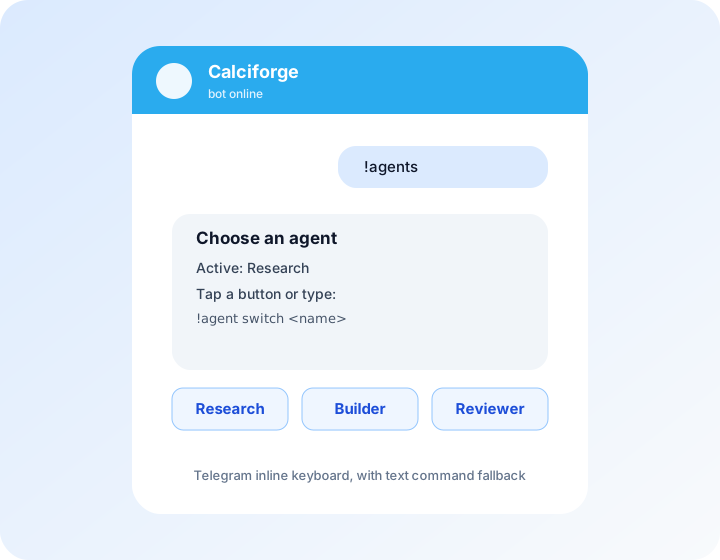
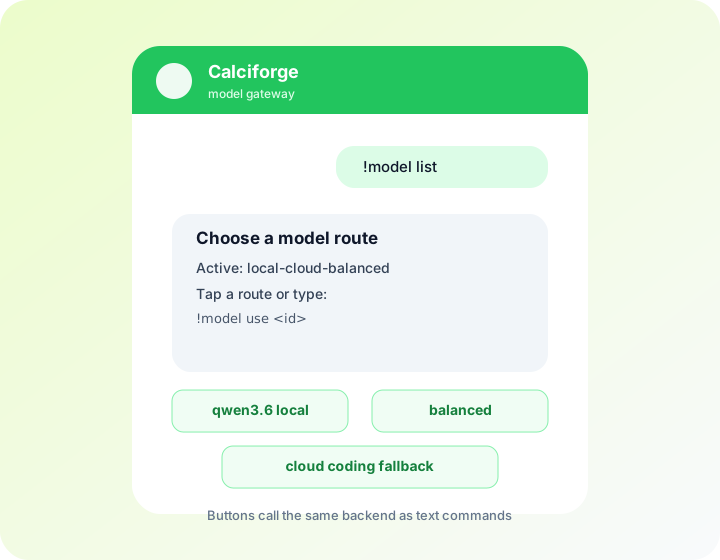
When ui_mode = "auto", Telegram replies can include inline buttons for
bounded channel-native actions. !agent list and !model list show buttons
that select an agent/model through the same backend handlers as the text
commands. Session lists and Clash approval requests use the same control path:
session buttons run !switch <agent> <session>, and approval buttons run
!approve <id> / !deny <id>. !secret input NAME / !secret bulk replies
include an Open paste form URL button. The plain text command remains in
every reply so operators can disable buttons with ui_mode = "text" without
losing functionality. Buttons are convenience, not the security boundary.
Telegram also works well as a Calciforge control surface even if the main agent conversation happens somewhere else. Because active agent/model choices are stored by Calciforge identity, a selection made with Telegram buttons applies to the same operator’s Matrix, WhatsApp, Signal, or SMS route.